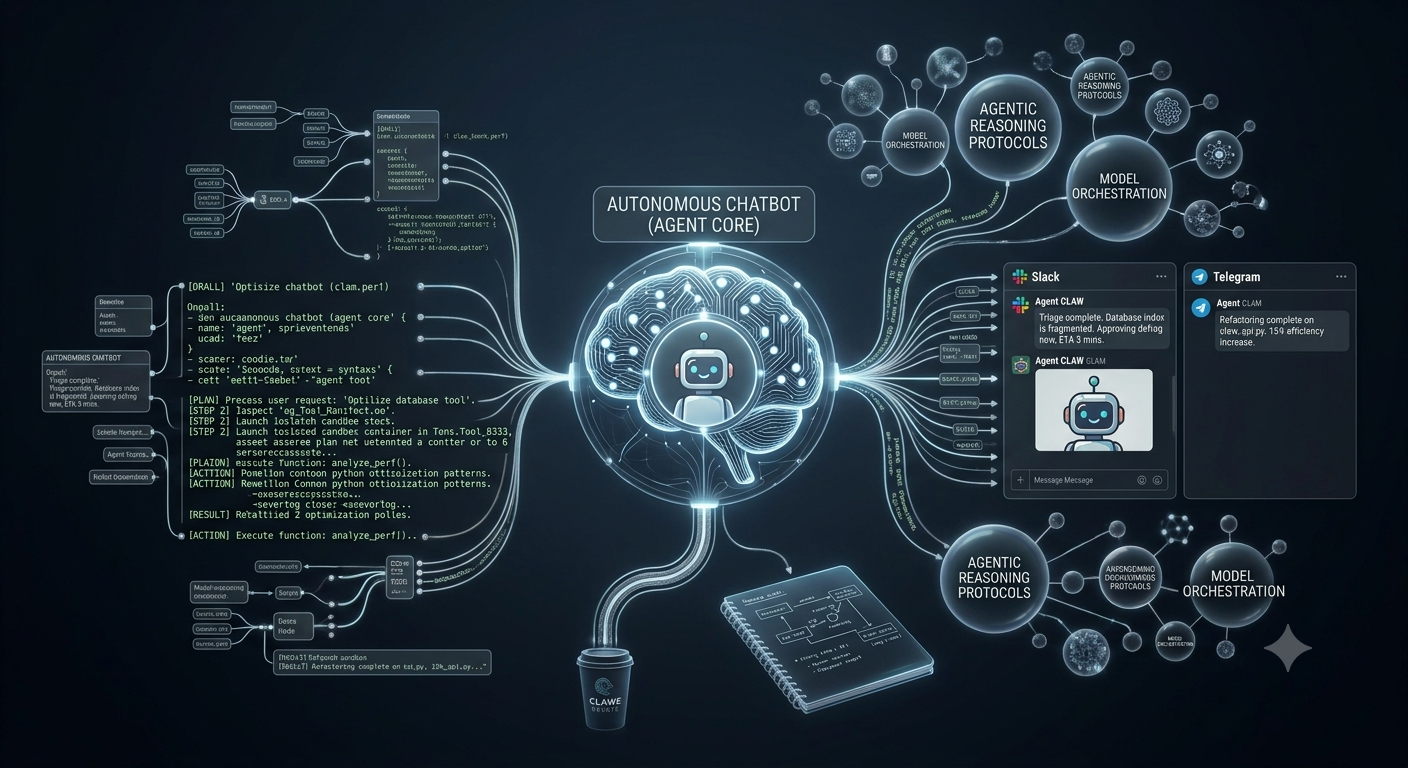

For the past several years, artificial intelligence has been confined to a basic request-and-response paradigm. You type a prompt into a text box, receive a generated completion, manually copy-paste the code or copy, and execute the next technical task yourself.
At Claw Development, we consider the standard chat interface step zero. The real shift in software engineering isn’t simply generating text—it is delegating autonomous execution to AI agents that observe environments, invoke tools, handle errors, and report back where your team already works.
Building a quick prototype in a Jupyter notebook is straightforward. However, running autonomous agent loops across background daemons, enterprise communication channels (Slack, Telegram, Teams), and local hardware clusters without incurring unexpected costs or catastrophic execution failures is a complex systems problem.
Below is our end-to-end engineering blueprint for building autonomous AI agents designed for real-world production systems.
1. Deconstructing the Autonomous Agent Loop
Traditional software automation relies on rigid, conditional branches (if/else control flow). Building autonomous AI agents flips this paradigm. Rather than pre-defining every potential execution path, you provide an agent model with:
A clear high-level goal.
A structured environment state (memory context and session history).
A set of permission-gated tools with strict execution parameters.
                                +-----------------------------+
                                |     Trigger / Webhook /     |
                                |     User Channel Message    |
                                +-----------------------------+
                                               |
                                               v
                                +-----------------------------+
                        +-----> |     Agent Core Reasoner     | <-----+
                        |       |  (Planner & Prompt State)   |       |
                        |       +-----------------------------+       |
                        |                      |                      |
                        |                      v                      |
                        |       +-----------------------------+       |
                        |       |   Tool & Action Selector    |       |
                        |       +-----------------------------+       |
                        |          /           |           \          |
                        |         v            v            v         |
                        |   +-----------+ +-----------+ +-----------+ |
                        |   | Shell/CLI | | REST/DB   | | Local RAG | |
                        |   | Sandbox   | | Gateway   | | Context   | |
                        |   +-----------+ +-----------+ +-----------+ |
                        |         \            |            /         |
                        |          +-----------+-----------+          |
                        |                      |                      |
                        |                      v                      |
                        |       +-----------------------------+       |
                        |       | Evaluation & Safety Guard   |       |
                        |       | (Execution Check / HITL)    |       |
                        |       +-----------------------------+       |
                        |                      |                      |
                        +----------------------+----------------------+
                                               |
                                     [Final Task Complete]
                                               |
                                               v
                                +-----------------------------+
                                |  Response Returned to User  |
                                +-----------------------------+
The Four Stages of the Agent Execution Cycle
Every turn inside the agent loop processes through four explicit stages:
Perception & Planning: The agent parses the incoming context—whether a user chat message, scheduled cron job, or external API webhook. It matches the objective against past long-term memory (Markdown or Vector stores) and constructs a plan.
Tool Selection: If the objective requires action beyond text generation, the agent formats an explicit function call matching predefined schema signatures.
Sandboxed Execution: The host gateway intercepted the requested tool call, verifies security permissions, and executes the underlying process (e.g., executing a SQL query, creating a Git branch, or calling an external REST endpoint).
State Reflection & Iteration: The tool output is appended back into the agent’s context window as an
execution_result. The agent reflects: Did this output bring me closer to the goal, or did an error occur that requires self-correction?
2. Architectural Pillars for Production-Grade Agents
To elevate agents from experimental novelties to production-ready digital teammates, we enforce five structural pillars across the Claw Development ecosystem.
Standardize all model interactions behind an OpenAI-compatible unified API interface. This allows your runtime to route tasks dynamically between cloud models (Claude 3.5 Sonnet, GPT-4o) for high-reasoning workloads, and local instances (Llama 3, Qwen 2.5) for cost-sensitive or privacy-critical tasks.
Avoid black-box SaaS memory stores. Store long-term context, agent configuration, and skill definitions directly on local storage as human-readable Markdown (e.g., SOUL.md, MEMORY.md, HEARTBEAT.md). This ensures full transparency and easy backing up via standard Git versioning.
Implement explicit risk tiers for every tool in the system. Read-only tools execute autonomously, while mutating tools (e.g., file deletion, database writes, or email sends) require interactive approvals through visual toggles or chat channel confirmation.
Deliver agent capabilities directly into channels where engineering teams work—including Slack, Telegram, Discord, and GitHub comments. A single central daemon manages multi-platform gateway connections without duplicating underlying tool logic.
Modularize capabilities into standardized Skill manifests. Each skill bundles natural language context, JSON parameters, runtime constraints, and security metadata into a self-contained package.
3. Cloud vs. Local LLM Routing: A Practical Model Matrix
Selecting the right model model tier for specific agent sub-tasks is critical for optimizing operational cost, latency, and data privacy.
| Workload Tier | Recommended Engine | Primary Use Cases | Key Advantages |
| Frontier Reasoning Class | Claude 3.5 Sonnet / GPT-4o | Multi-file code generation, complex planning, root-cause bug diagnosis | Exceptional tool-calling precision, deep context handling |
| Mid-Range Utility Class | Qwen 2.5 (32B) / DeepSeek V3 | Support triage, documentation synthesis, API data translation | High speed, balanced cost-efficiency, reliable JSON schema outputs |
| Edge / On-Premise Class | Llama 3 (8B) / Mistral 7B | PII data filtering, local log parsing, local system health checks | Zero per-token cloud costs, full offline operation, total data isolation |
4. Hands-On Python Implementation: Building a Multi-Tool Agent
Below is a complete, runnable Python implementation showing how to build an agent harness with model-agnostic endpoints, function execution, and error handling loops.
import json
import os
import subprocess
from typing import Dict, Any, List
import openai

# 1. Initialize OpenAI-compatible Client (Cloud or Local Ollama/vLLM)
client = openai.OpenAI(
    base_url=os.getenv("OPENAI_BASE_URL", "https://api.openai.com/v1"),
    api_key=os.getenv("OPENAI_API_KEY", "your-api-key")
)

# 2. Define Execution Tool Functions
def execute_shell_command(command: str) -> str:
    """Executes a shell command safely and returns output."""
    # Basic security check - Block dangerous mutations
    forbidden_terms = ["rm -rf", "sudo", "mkfs", "> /dev/"]
    if any(term in command for term in forbidden_terms):
        return "ERROR: Command blocked by safety policy."

    try:
        result = subprocess.run(
            command, shell=True, capture_output=True, text=True, timeout=15
        )
        output = result.stdout if result.returncode == 0 else result.stderr
        return output.strip() or "Execution successful with no output."
    except Exception as e:
        return f"Execution failed: {str(e)}"

def read_local_file(filepath: str) -> str:
    """Reads content from a local file."""
    try:
        with open(filepath, "r", encoding="utf-8") as f:
            return f.read()
    except Exception as e:
        return f"File read error: {str(e)}"

# 3. Tool Manifest Definitions (JSON Schema)
AVAILABLE_TOOLS = {
    "execute_shell_command": execute_shell_command,
    "read_local_file": read_local_file
}

TOOL_SCHEMAS = [
    {
        "type": "function",
        "function": {
            "name": "execute_shell_command",
            "description": "Runs a safe CLI shell command in the local environment.",
            "parameters": {
                "type": "object",
                "properties": {
                    "command": {"type": "string", "description": "The exact CLI command to run."}
                },
                "required": ["command"]
            }
        }
    },
    {
        "type": "function",
        "function": {
            "name": "read_local_file",
            "description": "Reads raw text content from a specified file path.",
            "parameters": {
                "type": "object",
                "properties": {
                    "filepath": {"type": "string", "description": "Path to the file."}
                },
                "required": ["filepath"]
            }
        }
    }
]

# 4. Autonomous Agent Loop
def run_autonomous_agent(user_prompt: str, max_turns: int = 5):
    print(f"\n[User Goal]: {user_prompt}\n" + "-"*50)

    messages: List[Dict[str, Any]] = [
        {"role": "system", "content": "You are an autonomous engineering assistant built by Claw Development. Use provided tools to solve tasks. Report final results clearly."},
        {"role": "user", "content": user_prompt}
    ]

    for turn in range(1, max_turns + 1):
        print(f"\n--- Turn {turn}/{max_turns} ---")

        response = client.chat.completions.create(
            model="gpt-4o",
            messages=messages,
            tools=TOOL_SCHEMAS,
            tool_choice="auto",
            temperature=0.2
        )

        response_message = response.choices[0].message
        messages.append(response_message)

        # Check if the model completed the task without calling tools
        if not response_message.tool_calls:
            print(f"\n[Agent Final Answer]:\n{response_message.content}")
            return response_message.content

        # Handle Tool Executions
        for tool_call in response_message.tool_calls:
            func_name = tool_call.function.name
            func_args = json.loads(tool_call.function.arguments)

            print(f"[Tool Requested]: {func_name}")
            print(f"[Arguments]: {func_args}")

            # Lookup and invoke function
            if func_name in AVAILABLE_TOOLS:
                tool_output = AVAILABLE_TOOLS[func_name](**func_args)
            else:
                tool_output = f"Error: Tool {func_name} is not registered."

            print(f"[Execution Output]: {tool_output[:150]}...") # Truncate preview

            # Append tool response back to context window
            messages.append({
                "role": "tool",
                "tool_call_id": tool_call.id,
                "content": str(tool_output)
            })

    print("\n[Warning]: Reached maximum execution turns without complete resolution.")

# 5. Example Execution Trigger
if __name__ == "__main__":
    run_autonomous_agent("Check the current disk usage using a shell command and list top files.")
5. Security Architecture & Threat Mitigation
Autonomous execution opens up significant technical security considerations. Giving an LLM access to file systems, terminals, or external APIs can lead to prompt injection vulnerabilities or accidental systemic damage.
Here is how we secure autonomous agents in enterprise setups:
Indirect Prompt Injection Prevention
When an agent processes external data (such as parsing incoming customer emails or scraping untrusted web pages), malicious instructions can exploit the model’s instruction follower.
Sanitization Layer: All external payload inputs must pass through strict input-sanitization parsing before entering the context window.
Instruction Separation: System rules are passed through strict immutable system prompt fields, keeping external data wrapped within delimited data blocks (
<user_data>...</user_data>).
Sandboxed Tool Execution
Agents should never run raw commands directly on primary host infrastructure.
Ephemeral Containers: Execute shell-based tasks inside temporary Docker/Wasm containers with short time-outs and strict network egress controls.
Least-Privilege Scoping: Ensure database integrations use read-only credentials unless explicit mutating clearance is granted.
6. The Evolution of Developer Workflows
Building autonomous AI agents changes software development from manual instruction to goal delegation. By building systems that prioritize local data ownership, model choice, multi-channel usability, and robust security, engineering teams can safely deploy AI teammates to handle routine tasks.